01 / Sound Editorial
Sound editors + designers
Begin with an inspectable spotting pass, then spend the session reviewing timing, replacing proposals, shaping perspective and building intention.
Audorama 2.0 for macOS
Bring your picture into Audorama and move from visual spotting to sound selection, editing and final delivery, while keeping control of every decision.
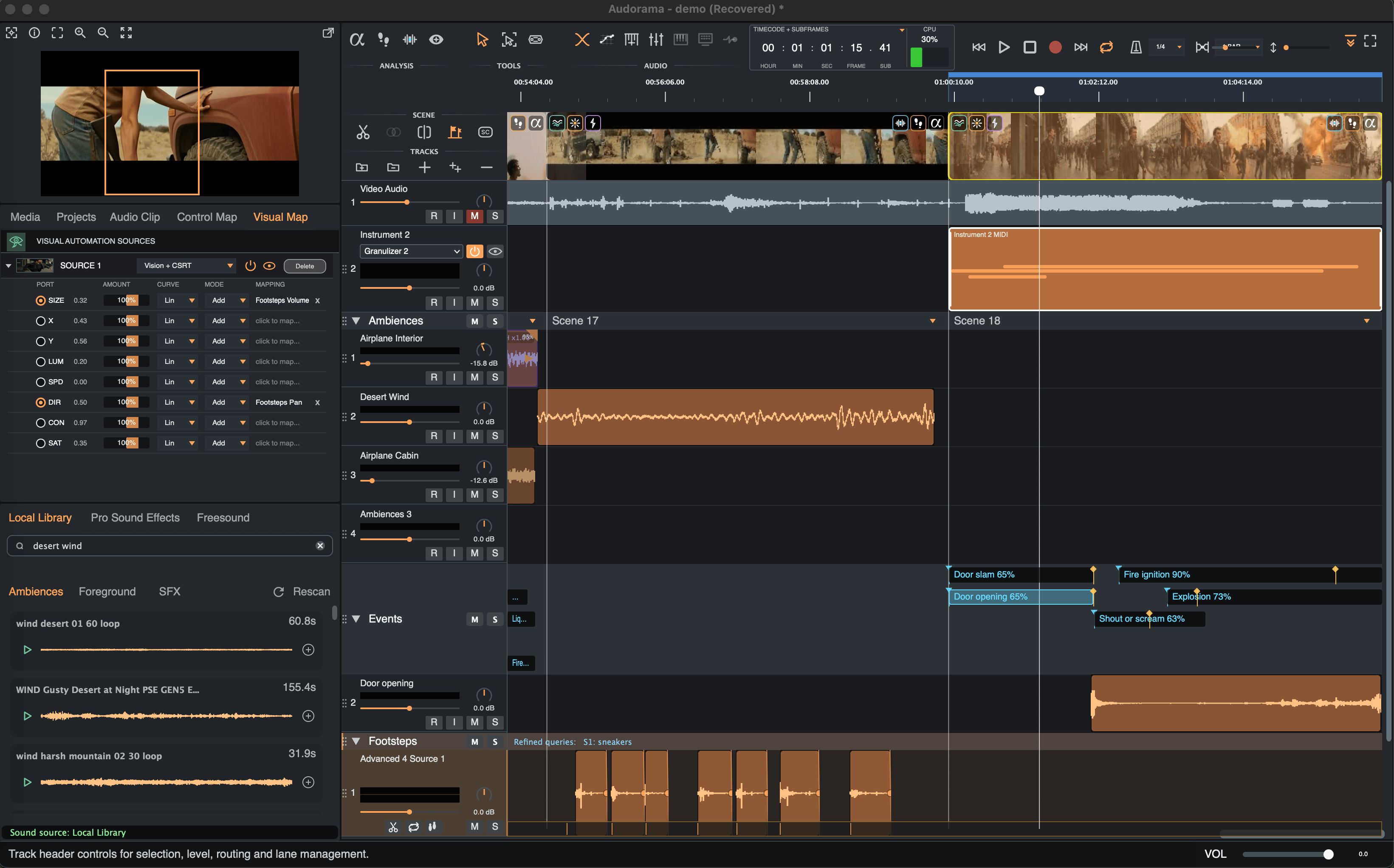
Designed to join the workflow
01 / Sound Editorial
Begin with an inspectable spotting pass, then spend the session reviewing timing, replacing proposals, shaping perspective and building intention.
02 / Supervision
Review named editorial objects, preserve source organisation and move work into or out of established post pipelines.
03 / Picture-led teams
Use a guided route to an editable first pass, make straightforward corrections and prepare a clearer session for finishing or handoff.
Picture Analysis
Before the sound comes the movement. Audorama tracks it for you. What you do with it is still entirely yours. Choose the sound, shape the timing, layer and replace until it's your scene.
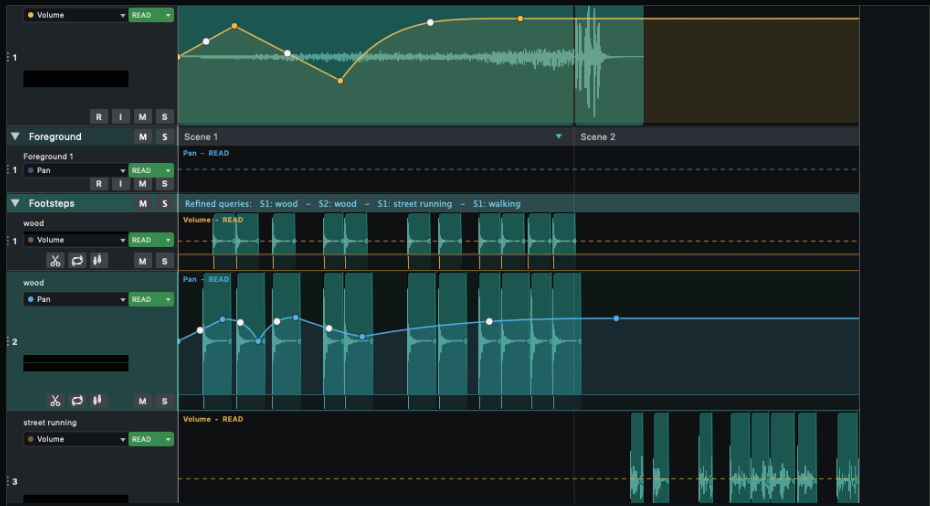
01 / Visual Footsteps
Audorama follows movement in the picture and turns each footstep into an editable sound event, aligned to the frame, separated by performer and ready for your sound design.
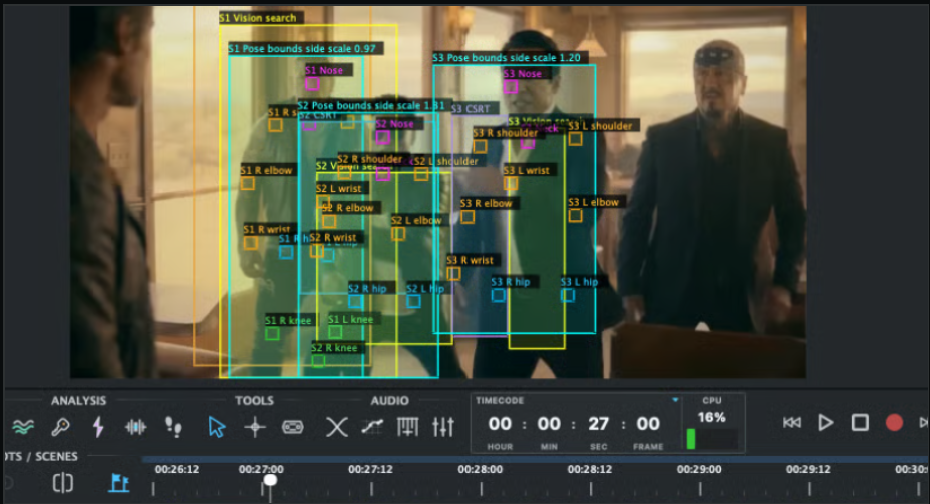
When several people move through the same scene, Audorama can track them independently.
02 / Visual Events
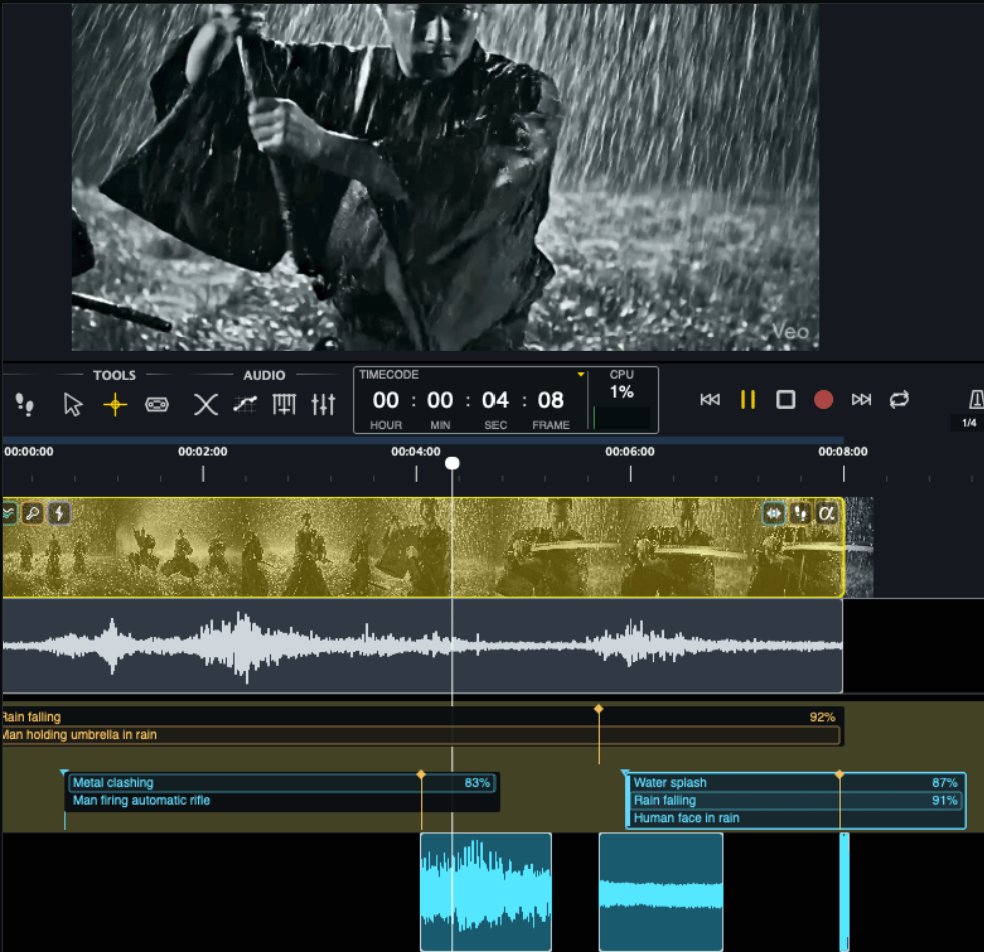
Audorama identifies actions and events in the picture and turns them into named, frame-aligned material ready for sound editorial.
Local Processing
Audorama's core analysis and processing happen directly on your computer. Online access is used when you choose to search and download sounds.
No cloud processing for core analysis. No processing credits or per-minute charges.
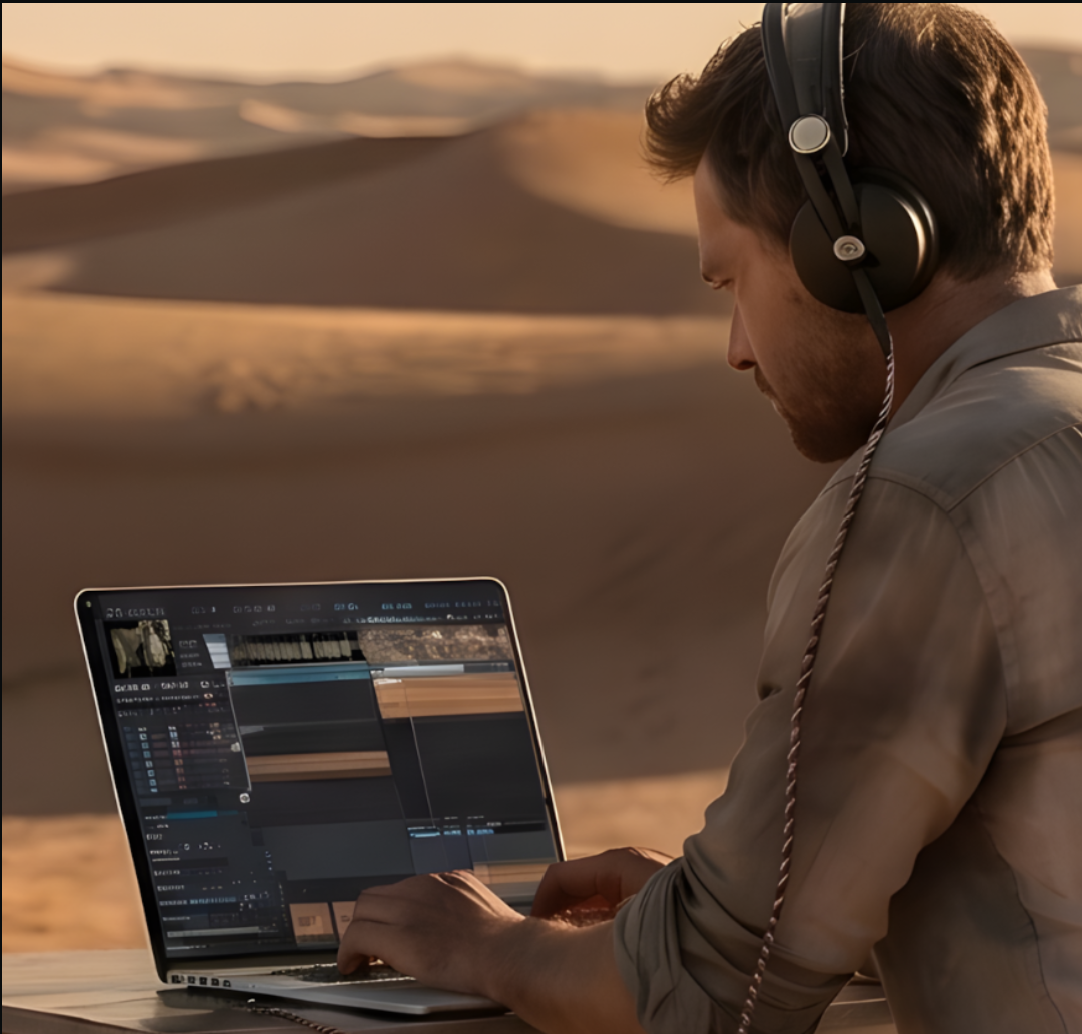
Auralithic has partnered with Pro Sound Effects, a leader in professional sound libraries. Audorama comes with a curated 20 GB collection of production-ready PSE recordings stored locally, plus free in-app API access to more than 200,000 additional PSE sounds.
Audorama also integrates with Freesound.org, giving users access to more than 600,000 community-created sounds released under Creative Commons licenses, with full attribution and licensing information available for each sound.
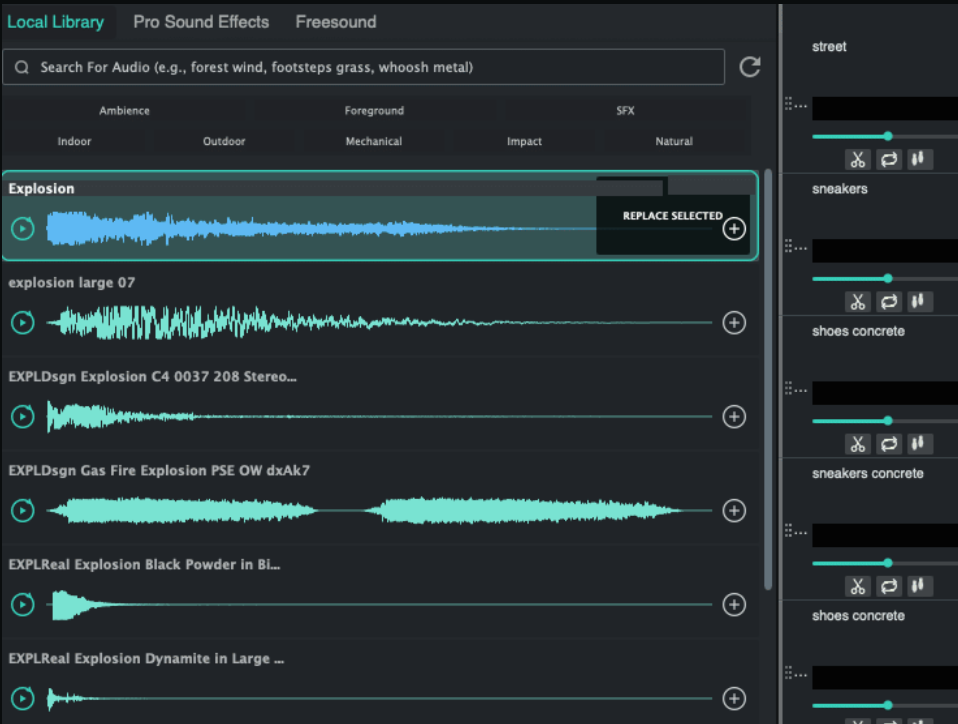
Find Similar
Start from a clip already in the cut and find semantically similar audio across offline and online libraries. Audition alternatives, replace the selected recording or layer a new option while timing and track organisation remain intact.
See Find Similar in action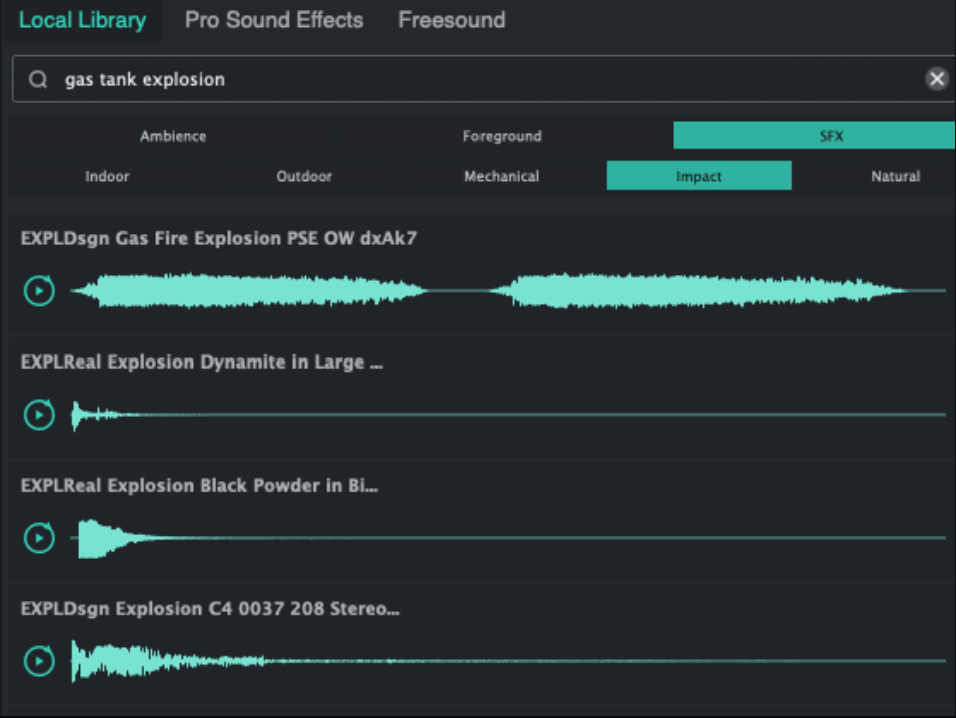
One search, many places
Search multiple portable local libraries in natural language, browse 200,000 Pro Sound Effects from the same panel and reach more than 600,000 community sounds through Freesound. Preview waveforms and add a choice without breaking the edit.
See Semantic Search in actionVisual Map
Use movement and visual properties from the frame to control sound parameters. A tracked subject can change level, pan, effects or instrument controls over time.
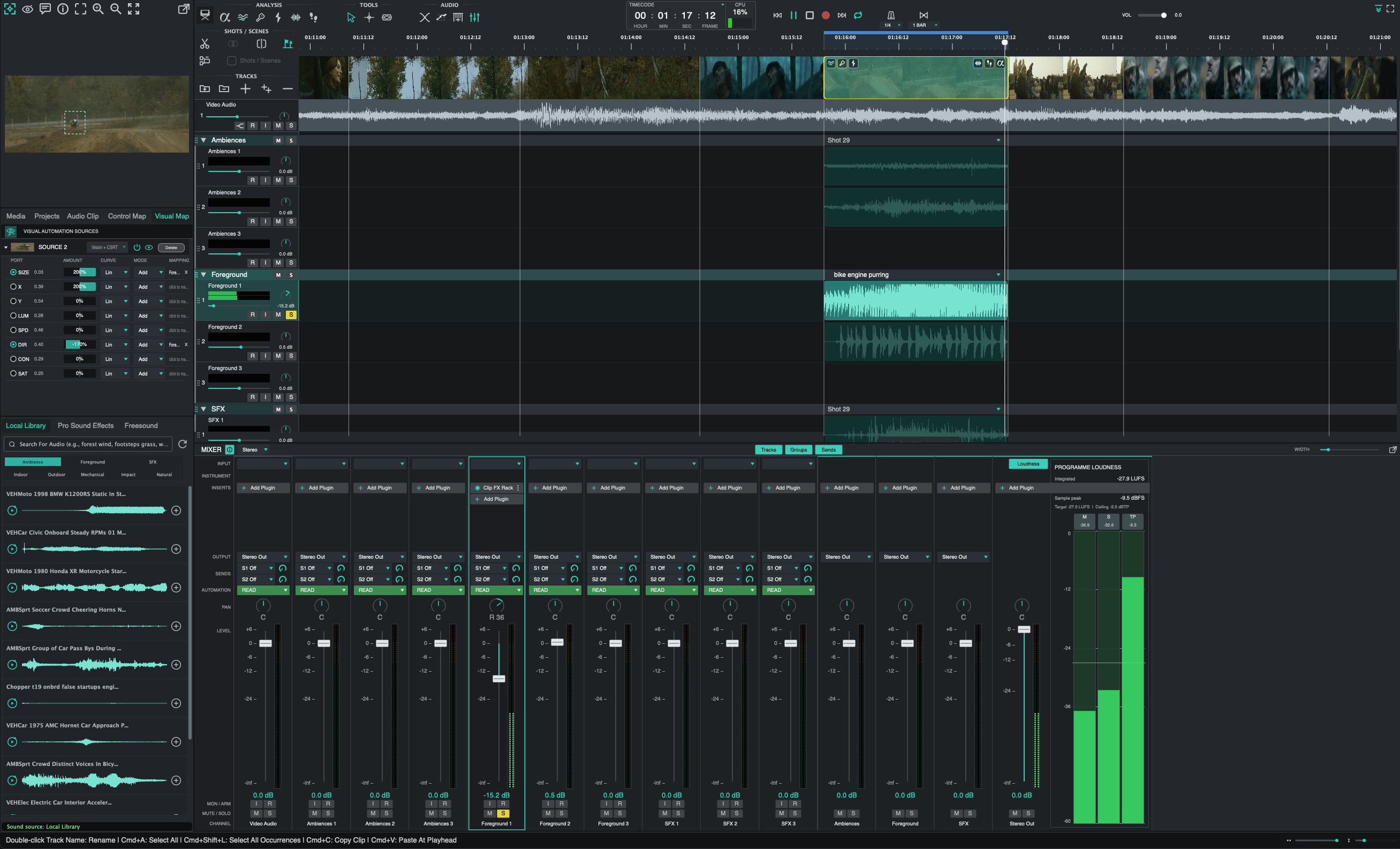
Follow one or more visual sources and assign position, direction, speed, luminance, contrast, saturation or scale to the sound controls you choose.
The creative studio
Audorama 2.0 grows from a picture-aware spotting environment into a professional sound workspace, built around picture, with the tools to make a pass feel authored, dimensional and ready to travel.
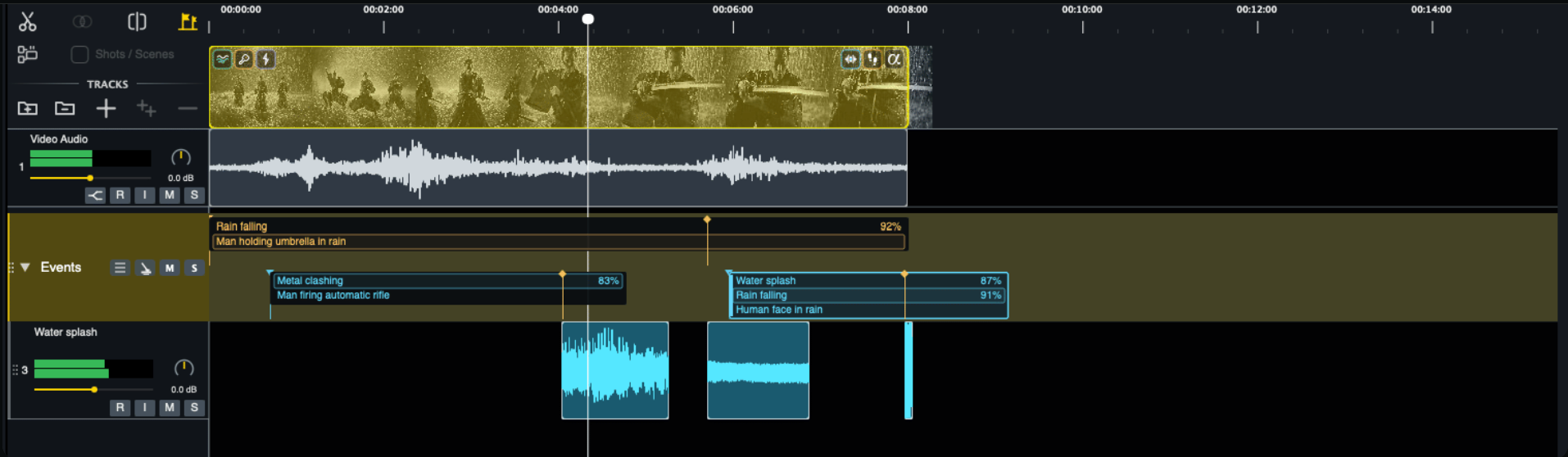
Shape fades and crossfades, snap to picture and transients, edit selections in bulk and keep source organisation visible as the soundtrack grows.
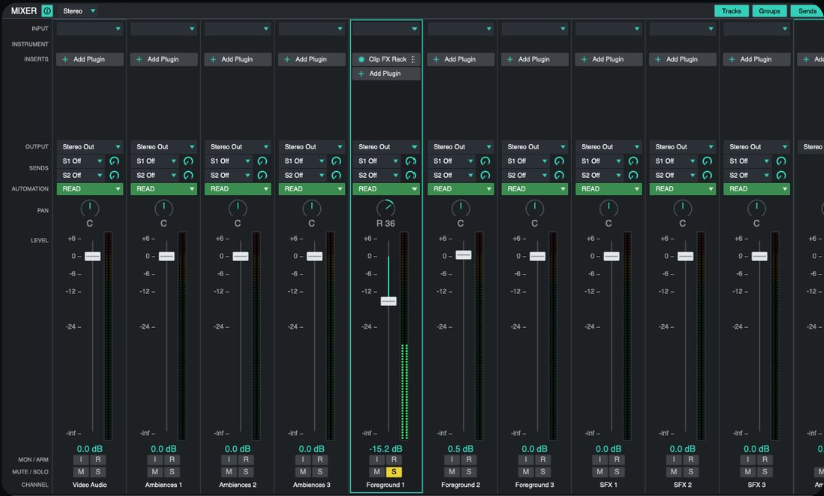
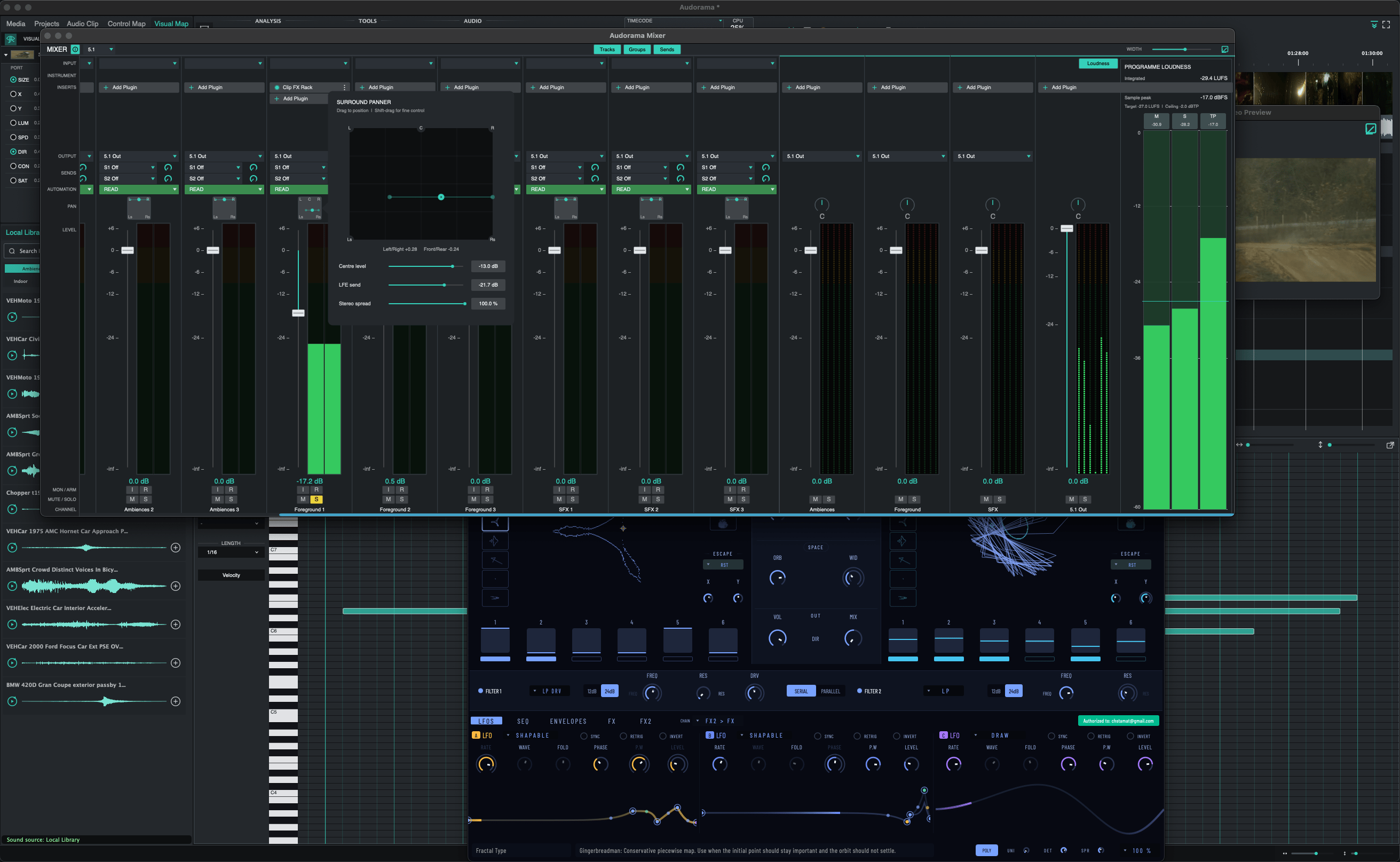
Move between the timeline and detachable mixer views with track automation, routing, sends, 5.1 surround, loudness measurement and detailed metering.
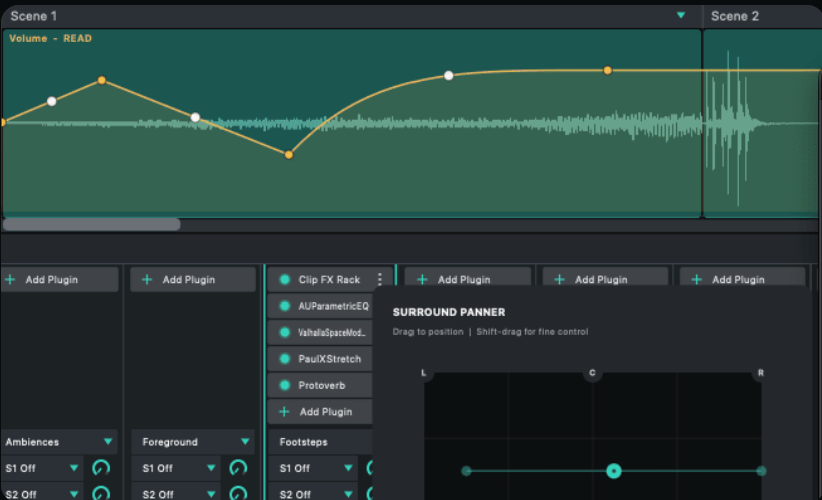
Draw and refine automation curves over clips and instruments while AU and VST3 effects remain available directly in the session.
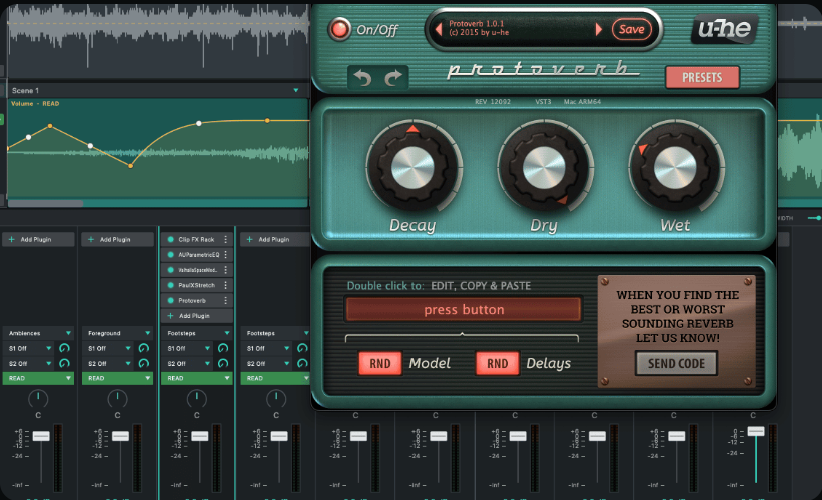
Use favourite third-party effects and software instruments alongside per-clip processing, insert chains and Audorama's native sound tools.
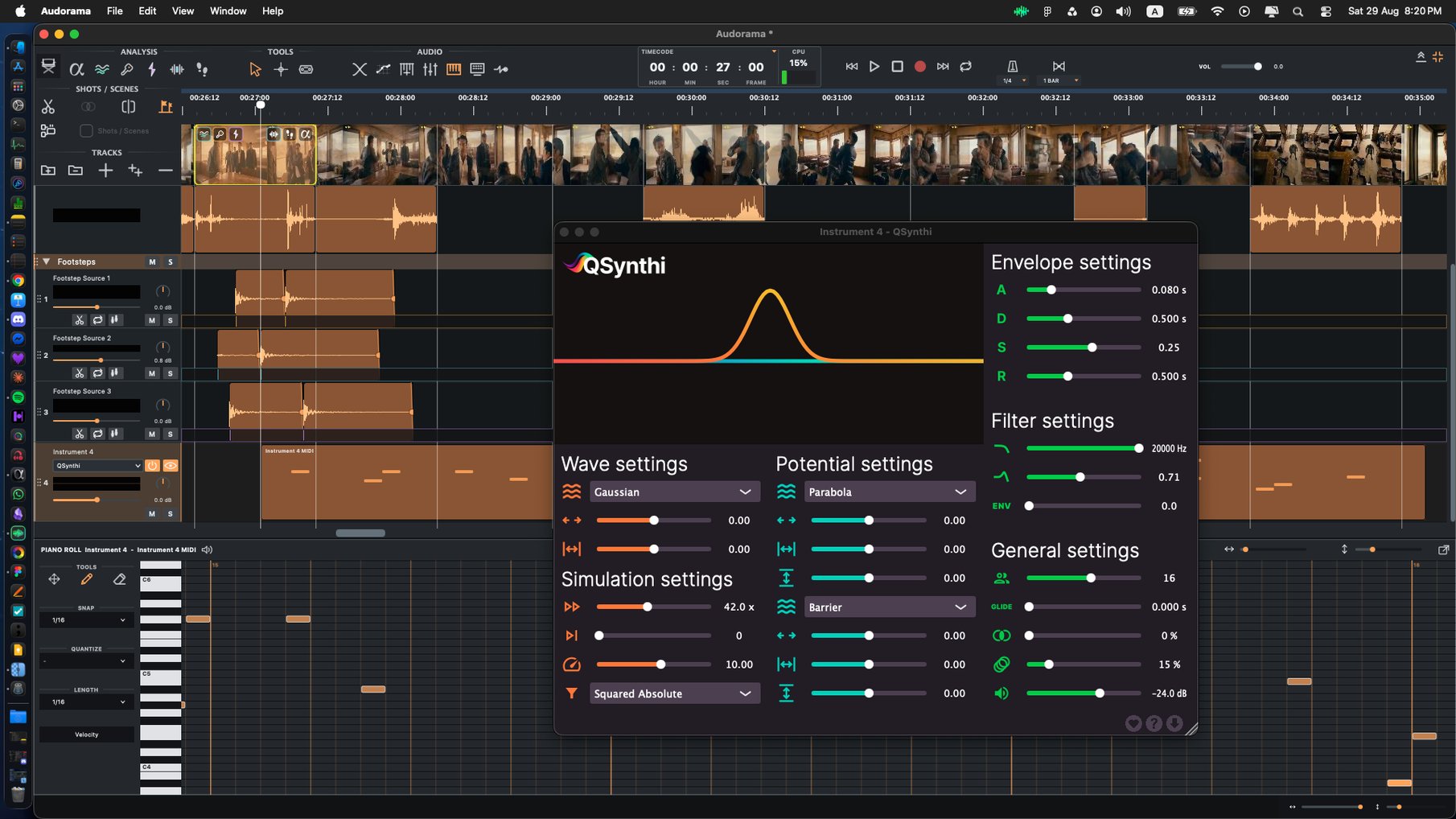
Edit instrument regions in the piano roll, convert detected footsteps into playable timing and connect external controllers through MIDI learn and parameter mapping.
Mix and loudness
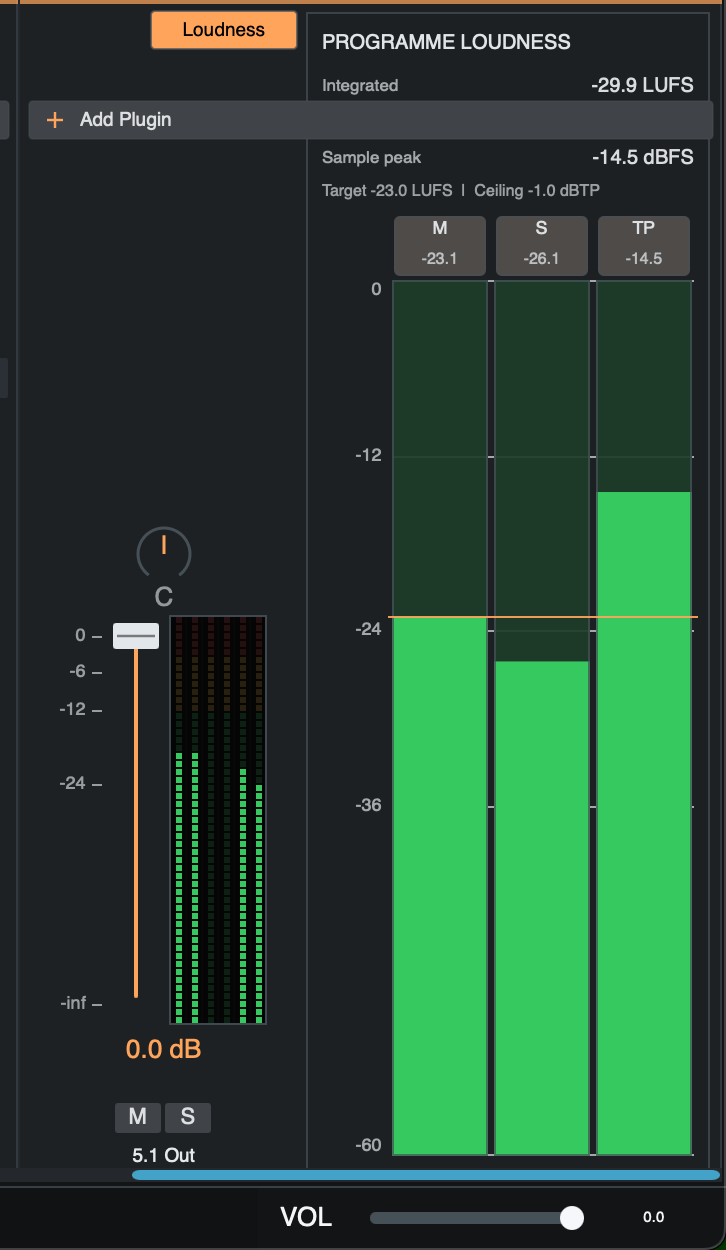
Programme-loudness meters keep integrated level, momentary level, short-term level and true peak visible while you work.
Set the required LUFS target and true-peak ceiling, measure the programme and apply loudness normalisation for a consistent delivery. Audorama keeps the loudness reading beside the output meter, so level decisions remain connected to the mix.
Interchange and recovery
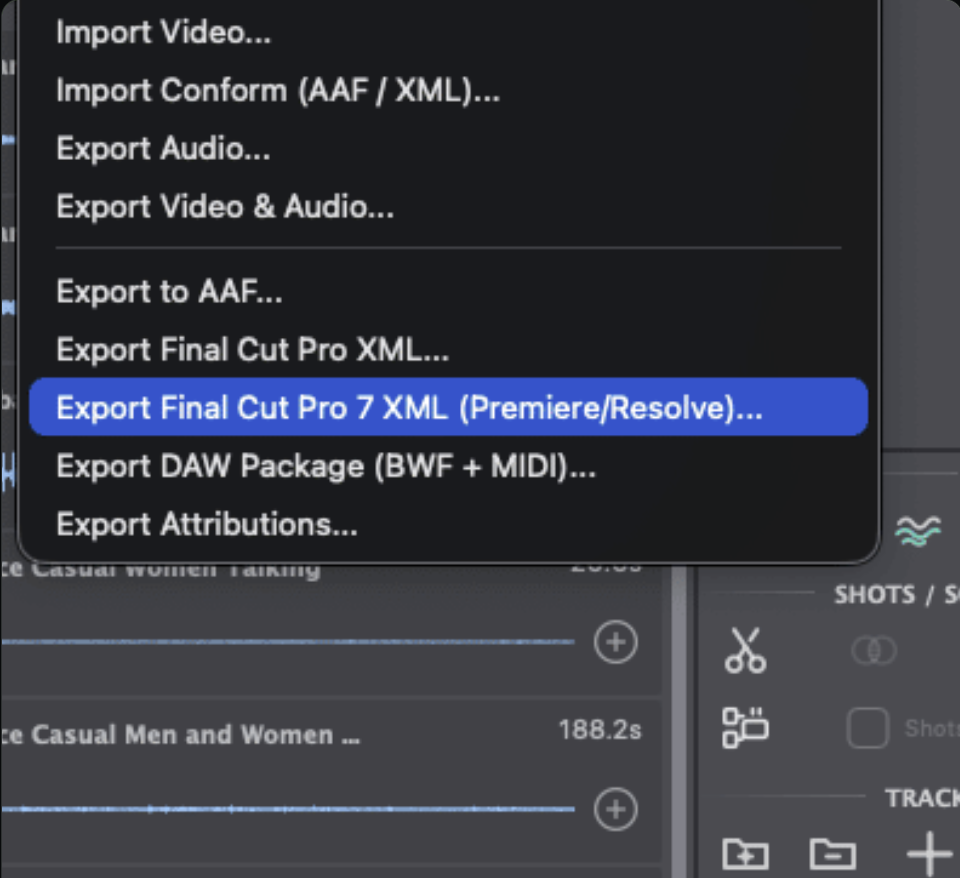
Import video, AAF and XML. Export audio, picture with sound, AAF, Final Cut XML and DAW packages with broadcast WAV and MIDI. Portable projects, autosave and crash recovery support handoff, recall and experimentation.
FAQ
Audorama is a professional sound environment built around picture-aware sound editing. It analyses picture, identifies visual events and footsteps, helps find and organise sounds, and turns that information into an editable workflow. It is built primarily for sound designers, sound editors, Foley artists, re-recording mixers and other post-production professionals working with picture.
Visual Footsteps analyses movement in the picture to identify performers and detect visible footstep timing. It can keep different people on separate source lanes, giving you frame-aligned, editable material from which to choose footwear, surface, performance and perspective.
Visual Events identifies relevant visible actions and places accepted detections into named, frame-aligned event lanes. Instead of manually spotting every action, you receive an editable first pass that can be reviewed, moved, renamed, replaced, layered or removed.
Visual Map turns tracked movement and picture properties into editable automation. Position, direction, speed, size, luminance, contrast or saturation can control level, pan, effects or instrument parameters, allowing movement in the frame to shape the sound while you retain musical control.
Yes. Your local sound libraries are central to Audorama and can be searched alongside integrated sources. The macOS package includes a curated 20 GB Pro Sound Effects collection, plus in-app access to more than 200,000 additional PSE recordings and more than 600,000 Freesound community sounds. Both services can be searched directly from Audorama, with relevant licensing and attribution information and no separate Audorama search credits or per-search charges.
No cloud connection is required for core picture analysis and processing. Picture Analysis, Visual Footsteps, Visual Events and timeline generation run locally on your computer. Internet access is needed only when you choose to search, preview or download sounds from connected services such as Pro Sound Effects and Freesound.
No. Audorama accelerates the work without removing the sound professional from it. It can analyze, identify, organize and prepare a structured first pass; you decide which sounds work and how they should be edited, shaped, layered, mixed and delivered.
Yes. Audorama creates an editable starting point rather than a fixed result. Review shot boundaries, change descriptions, keep or reject proposals, correct event and footstep timing, replace sounds and reshape the mix. Classic Analysis, Visual Events and Footsteps can also be run only on the shots that need attention.
Yes. Audorama is designed to work alongside established production environments. It imports picture, audio, AAF and XML; hosts Audio Unit and VST3 effects and instruments; supports stereo and 5.1 mixing with programme-loudness measurement; and exports audio, picture with sound, AAF, Final Cut XML, broadcast WAV, MIDI and portable project material for handoff.
No. Core picture analysis and processing happen locally and do not use processing credits or incur per-minute processing charges.
Yes. Audorama has a free Base version with no time limit, and a 14-day Trial provides access to the Professional feature set. Creator and Professional plans are available when you need longer projects, larger libraries, more tracks or broader studio capabilities.
Audorama supports macOS 13 or later on Apple-silicon Macs with an M1 chip or newer. We recommend at least 16 GB of RAM and 20+ GB of free storage. Windows support is in active development.
Yes. A perpetual-license option is coming soon to Audorama. Availability and pricing will be announced when it is ready.
Yes. Special options are available for teams, educational users and NFR licenses. Contact sales@auralithic.com to discuss the right arrangement.
Contact support@auralithic.com with your macOS version, Mac model and memory, the steps that led to the crash, and any error message or crash report. That information helps the team reproduce and resolve the issue quickly.
Audorama 2.0
Start with Audorama Free. Move to the Professional workflow when you need more.